
 Offload
Camera card offloads with checksum verification
Offload is a free offload tool for DITs, data wranglers and assistant editors. It copies camera originals to every destination in a single pass, verifies each copy against the source and clears the card only once everything checks out.
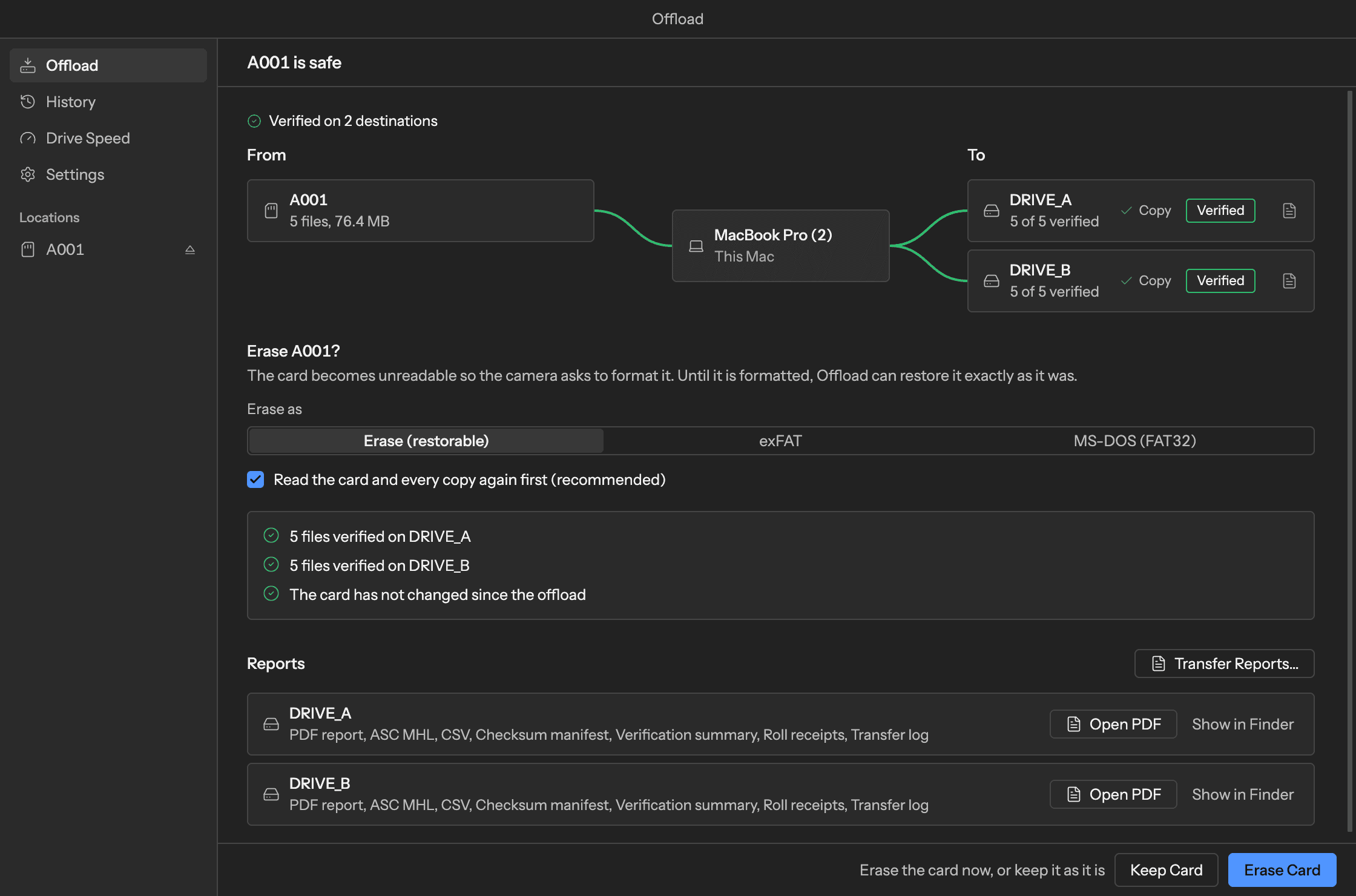
How Offload works
Multiple destinations in one pass
The card is read once and written to every destination at the same time, whether that is a RAID, shuttle drives or a NAS.
Source-to-destination checksums
Each copy is read back from the destination and checked against the source hash. xxHash64 by default, with MD5 and SHA options.
Card clearing with a safety net
A card can only be cleared once every file is verified on every destination. Until it is reformatted in camera, a cleared card can be restored.
Transfer reports
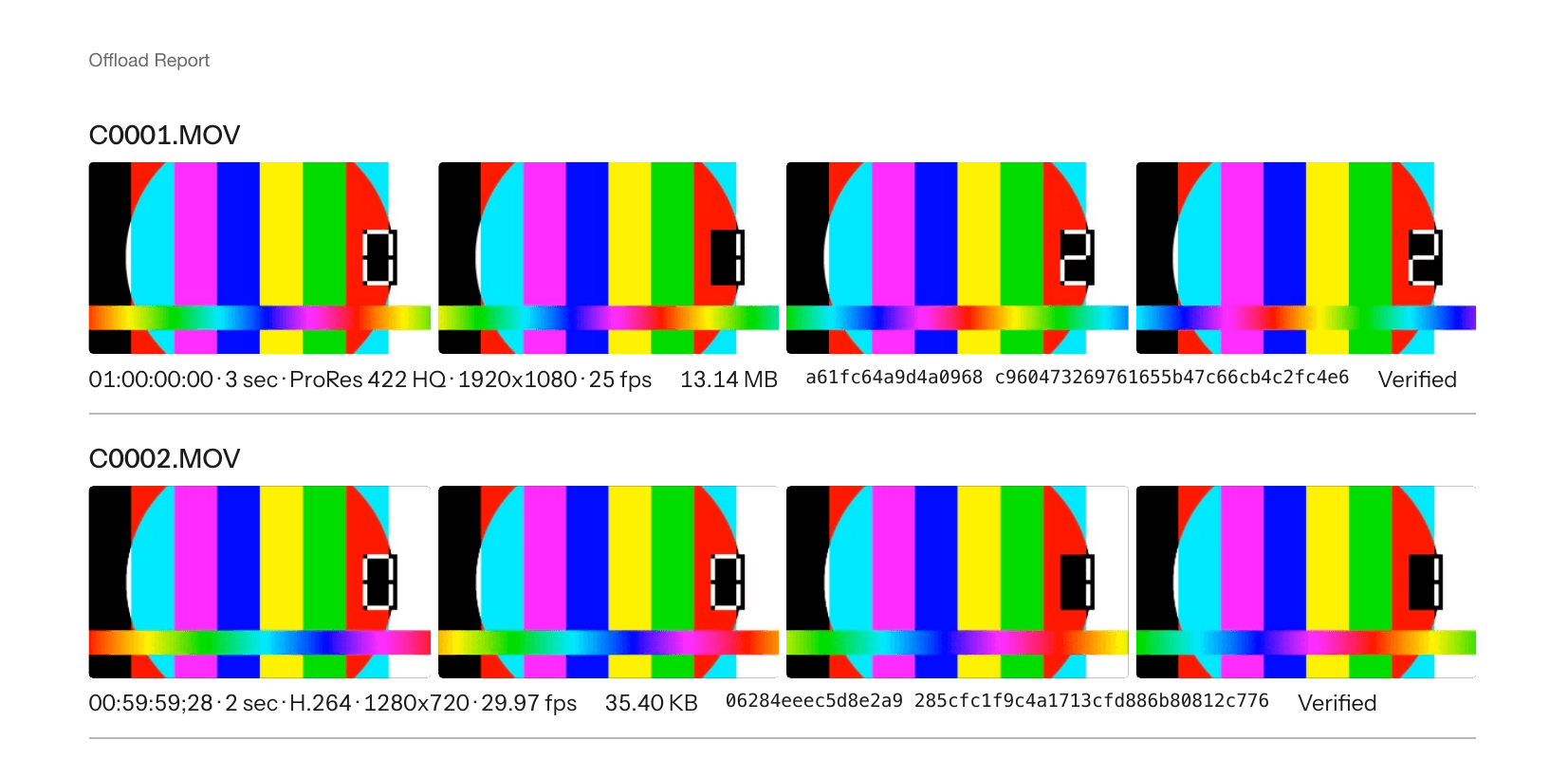
Every offload writes a PDF report with thumbnails, timecode, codec and frame rate for each clip, plus ASC MHL, MHL and CSV files, saved alongside the media on every destination.
Features
- Resume interrupted offloads
- Continues if a destination fails
- Re-verify existing backups
- Presets and file renaming
- Copy filters by file type
- Offload history by shoot day
- xxHash64, MD5, SHA-256 and SHA-512
- Cards, drives, folders and NAS
Frequently asked questions
Is Offload free?
Yes. There is no licence, subscription or account.
How is it different from other offload apps?
Offload handles the offload, verification and card clearing in one tool. A card is only cleared based on the verified checksums from that offload, not a name-and-size comparison.
Can a cleared card be recovered?
Yes, as long as it has not been reformatted in camera. Offload makes the card unreadable rather than wiping the media, so Restore brings every file back.
Which media does it support?
Any card the computer can mount, including CFexpress, SD, CFast and SSD media from any camera, as well as folders and network storage.
Which reports does it generate?
PDF reports with clip thumbnails and metadata, ASC MHL, MHL, CSV and a plain-text transfer log, saved with the media on every destination.
What are the system requirements?
macOS 13 Ventura or later, on Apple silicon.
Does it collect any data?
No. Offload runs offline and only connects to the internet to check for updates.
